
Sub-Dealer Addons
Let each dealer build and run their own network underneath them.
What it does
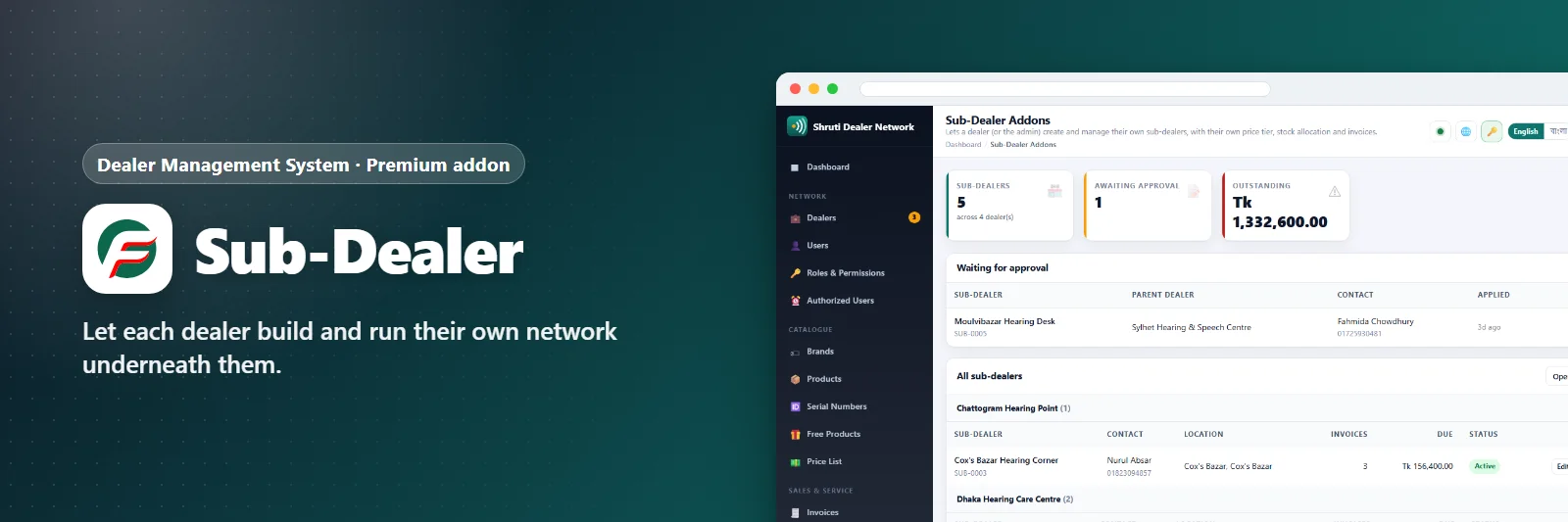
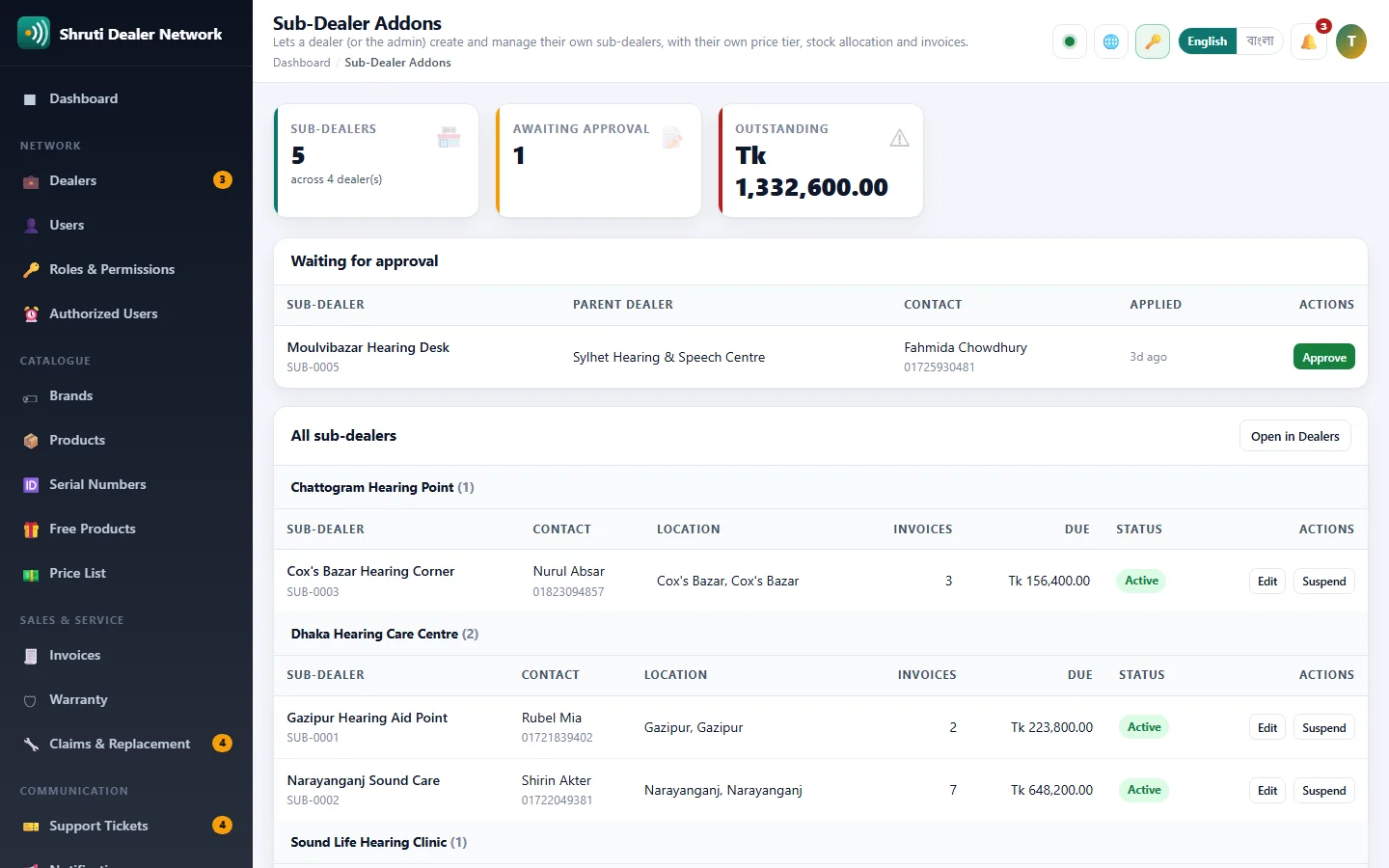
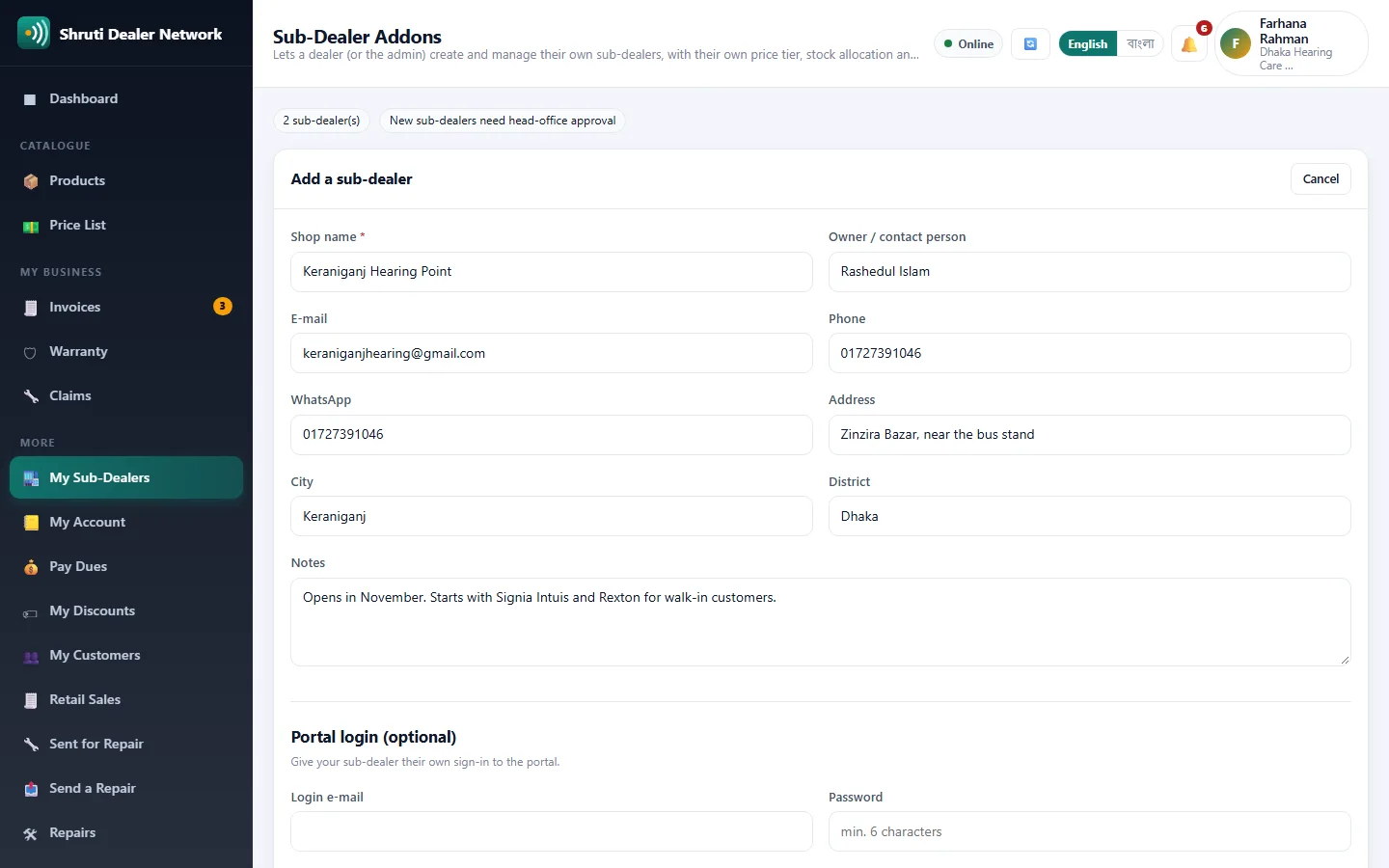
Turns a flat dealer list into a two-level network. A dealer adds their own sub-dealers from the portal (shop, contact and an optional portal login), and each new sub-dealer gets its code and price tier from your settings.
New sub-dealers can wait for head-office approval before they go live, and you can cap how many any one dealer may have. Approving a sub-dealer switches on its login and tells the parent dealer.
Head office sees every sub-dealer grouped under its parent dealer, with invoices, amount due and status, and can suspend or reactivate any of them. A sub-dealer signs in to the same dealer portal, sees prices at its own tier, and is invoiced by you like any other dealer.
What you get
- Sub-dealers under any dealer
- Their own price tier and logins
- Optional approval and a cap per dealer
- Whole tree grouped by parent dealer
Screenshots
Getting it running
- Buy it with the button above — your key is issued as soon as the payment is confirmed.
- Nothing to copy: your installation collects the key on its next check.
- Open Addons in your panel and press Enable.
- In a hurry? Paste the key on the License screen and it unlocks at once.
Questions
Is it a one-time payment?
Yes — one payment, a lifetime key for one domain, and free updates.
Do I need Dealer Management System first?
Yes. The addon unlocks inside an installation of Dealer Management System that already has its own licence.
How does the key reach my site?
Your installation collects it by itself on its next check. You can also paste it on the License screen.
Can I move it to another domain?
Yes. Release the old domain in your account and activate the new one.